Published: October 27, 2026 · 6 min read
Kubernetes Resource Limits — Quota, LimitRange and Pods
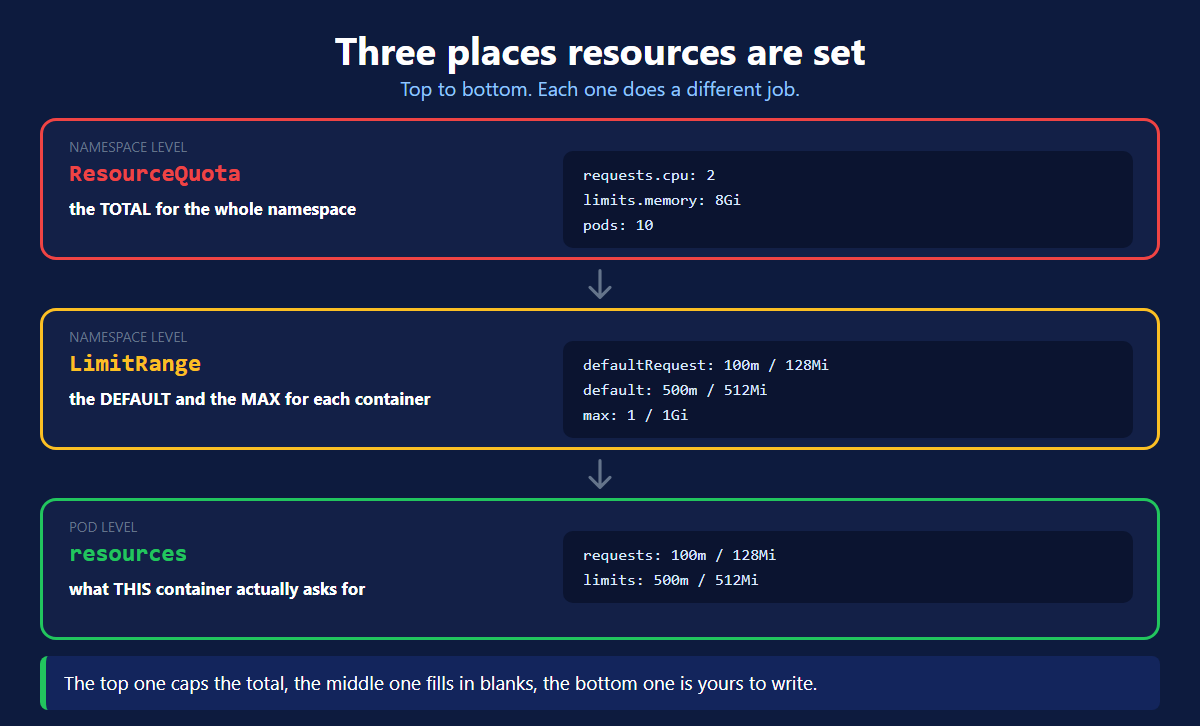
Kubernetes resource limits are set in three places. Nothing more.
Work down from the namespace to the container and it stays simple.
Here is the short version:
- ResourceQuota — the total for the whole namespace.
- LimitRange — the default and the max for each container.
resources— what this container asks for.
1. ResourceQuota — the namespace total
This sits on the namespace and caps everything inside it together.
| Field | What it caps |
|---|---|
requests.cpu | every container's CPU request, added up |
requests.memory | every container's memory request, added up |
limits.cpu | every container's CPU limit, added up |
limits.memory | every container's memory limit, added up |
pods | how many Pods may exist at once |
That Used and Hard table is the whole point. One command shows how much of the namespace budget is gone.
One namespace, one budget. This is how you stop one team taking the whole cluster.
2. LimitRange — the per container defaults
This also sits on the namespace, but it works on each container.
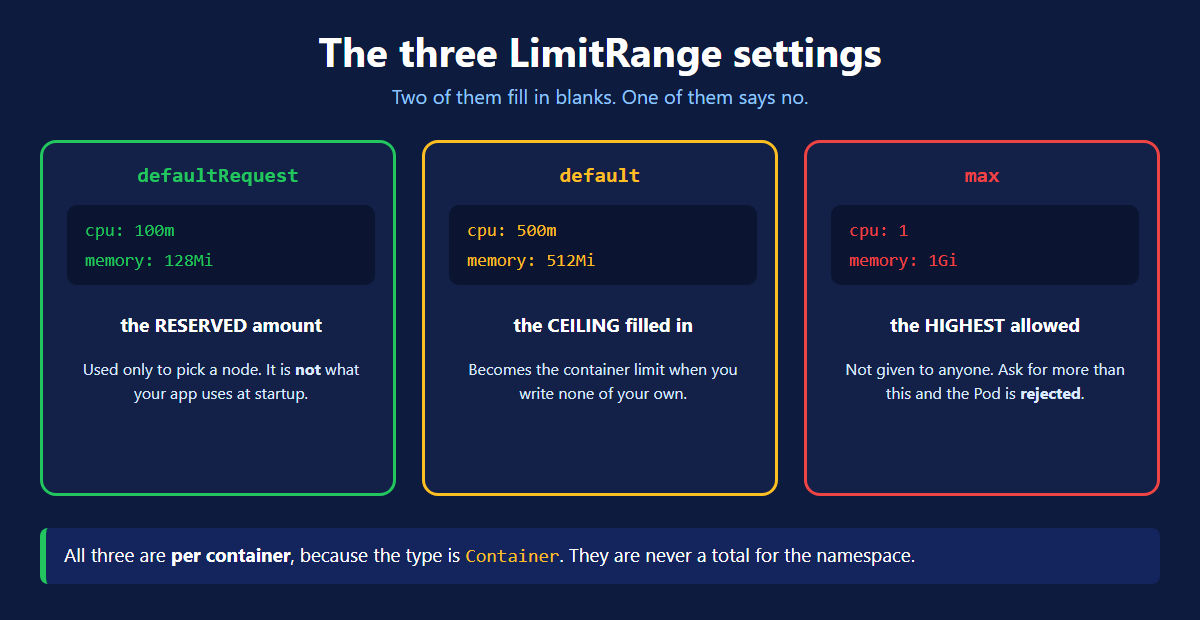
Three names, three jobs:
| Name | What it does |
|---|---|
defaultRequest | becomes the requests when a container writes none |
default | becomes the limits when a container writes none |
max | the highest a single container may be configured with |
The names are confusing. default means the default limit. defaultRequest means the default request. Read them as a pair.
Everything in that table is per container. It is never a total for the namespace.
3. The Pod — where you write the real numbers
Now the bottom level. This is the only place you set numbers for your own application.
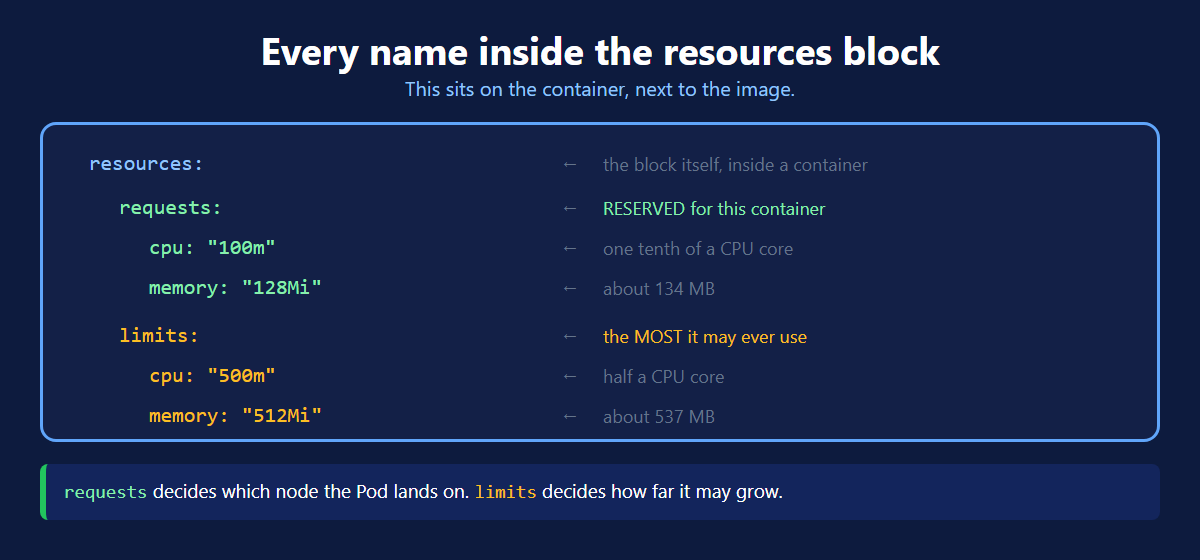
| Name | Meaning |
|---|---|
resources | the block, written inside a container |
requests | what is reserved for this container |
limits | the most it may ever use |
cpu: "100m" | m is millicores. 1000m is one core, so this is a tenth |
memory: "128Mi" | Mi is 1024 x 1024 bytes, so this is about 134 MB |
Follow the indentation: spec → template → spec → containers → resources.
The block goes on the container, never on the Pod. A Pod has no resources field, and neither does a Deployment.
Kubernetes Resource Limits in One Table
| Sits on | Works on | Job | |
|---|---|---|---|
| ResourceQuota | namespace | the whole namespace | the total budget |
| LimitRange | namespace | each container | the default and the max |
resources | container | that one container | the real numbers |
Write all three and nothing is left to chance. The namespace has a budget, every container has sensible values, and your application asks for exactly what it needs.
Quick Reference
| Command | What it shows |
|---|---|
kubectl describe quota <name> -n <ns> | used against the namespace budget |
kubectl describe limitrange <name> -n <ns> | the per container defaults and max |
kubectl describe pod <name> -n <ns> | the Requests and Limits that Pod got |
kubectl top pod -n <ns> | what is really being used right now |
What's Next
Three objects, three levels, and a cluster that stays predictable. The official ResourceQuota page (opens in a new tab) and the LimitRange page (opens in a new tab) go deeper when you need them.
← Back to Kubernetes Deployment
Frequently Asked Questions
Where are Kubernetes resource limits set?
In three places. A ResourceQuota sits on the namespace and caps the total for everything inside it. A LimitRange also sits on the namespace and gives each container its default and maximum values. The resources block sits on the container inside a Pod. That is the only place you write numbers for your own application.
What is a ResourceQuota in Kubernetes?
A ResourceQuota is a cap on a whole namespace. You set how much CPU and memory everything inside it may ask for in total. You also set how many Pods may exist. Kubernetes adds up every container in the namespace and compares it against your numbers. It is how you stop one team taking the whole cluster.
What is a LimitRange in Kubernetes?
A LimitRange is a rule on a namespace that works on each container. It has three useful fields. defaultRequest becomes the requests when a container writes none. default becomes the limits when a container writes none. max is the highest a single container may be configured with.
What is the difference between requests and limits?
A request is what is reserved for the container. The scheduler reads it to choose a node with enough room, and the node then holds that amount aside. A limit is the most the container may ever use. Between the two it can borrow spare capacity when the node is quiet.
Do resource limits go on the Pod or the container?
On the container. The resources block sits under spec.containers, right next to the image and the ports. A Pod has no resources field of its own, and neither does a Deployment. What people call the Pod request is simply the requests of all its containers added together.
What is the difference between ResourceQuota and LimitRange?
A ResourceQuota caps the total for the whole namespace. A LimitRange works on each container. It fills in values that were left out, and caps what one container may ask for. They do not replace each other. Use a ResourceQuota for the namespace budget and a LimitRange so no container is left with nothing.